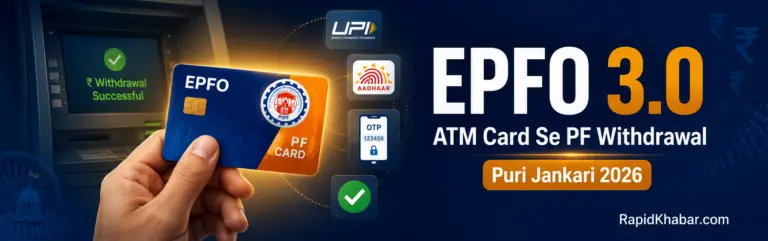

Did you know you can soon withdraw your PF money directly from an ATM — just like a bank account?
This is now possible because of EPFO 3.0, the biggest digital upgrade in the history of the Employees’ Provident Fund Organisation. In fact, this update is set to change how 30 crore PF members access their money.
Until now, withdrawing PF was a long and slow process. You had to fill forms, wait for employer approval, and sometimes wait weeks to get your money. However, with EPFO 3.0, all of that is about to change.
In this guide, you will learn exactly how the EPFO ATM card PF withdrawal works, what the limits are, who is eligible, and what you need to do right now to be ready.
Let us start from the beginning.
What Is EPFO 3.0?
EPFO 3.0 is the latest and biggest upgrade to India’s Provident Fund system. Simply put, it makes your PF account work like a regular bank account.
So, what exactly has changed? There are four major updates in EPFO 3.0:
- First, the auto-settlement limit has increased from ₹1 lakh to ₹5 lakh.
- Second, employer approval is no longer needed for most claims — as long as your UAN is linked to Aadhaar.
- Third, the earlier 13 confusing withdrawal categories have been reduced to just 3 simple categories.
- Fourth, and most importantly, ATM card and UPI-based PF withdrawal is now being introduced.
Moreover, all these changes have already been approved by the Central Board of Trustees (CBT). Therefore, only the final system testing and regulatory approval remain before the full launch.
Read Aslo : Click Here – To know How to Activate your UAN number
EPFO 3.0 Key Facts at a Glance
| Feature | Details |
| Scheme | EPFO 3.0 – Digital Upgrade |
| Members Benefited | 30 crore+ PF members |
| Auto-Settlement Limit | Increased from ₹1 lakh to ₹5 lakh |
| Employer Approval | Not required for most claims |
| Withdrawal Categories | Reduced from 13 to 3 |
| ATM Withdrawal Limit | Up to 50% of eligible balance |
| UPI Withdrawal Limit | Up to 75% of eligible balance |
| Minimum Balance Rule | 25% must stay in account (active employees) |
| New Tax Form | Form 121 (replaced Form 15G/15H from April 2026) |
| Official Portal | unifiedportal-mem.epfindia.gov.in |
| EPFO Helpline | 1800-118-005 (Toll-Free) |
How Will EPFO ATM Card PF Withdrawal Work?
The EPFO ATM card will work just like your regular bank debit card. As a result, the withdrawal process will be very simple and fast.
Step-by-Step ATM Withdrawal Process
Here is how the process will work once the card is issued:
Step 1 – Get Your Card EPFO will issue a dedicated ATM card linked to your UAN. This card will be sent to your registered address.
Step 2 – Go to Any Authorised ATM After receiving the card, you can use it at any authorised ATM machine across India.
Step 3 – Verify with Aadhaar OTP At the ATM, your identity will be verified using an Aadhaar OTP. This keeps your account completely secure.
Step 4 – Receive Your Cash Once your identity is confirmed, the eligible amount will be dispensed as cash immediately.
This method is especially helpful for people who are not comfortable with online banking or smartphones. Furthermore, it ensures that even members in rural areas can access their PF funds easily.
PF Withdrawal Limits – ATM and UPI
This is the most common question people ask. So, here is a clear breakdown of the withdrawal limits:
| Withdrawal Method | Maximum Limit | Key Detail |
| EPFO ATM Card | 50% of eligible balance | Cash from any authorised ATM |
| UPI (PhonePe, GPay, Paytm) | 75% of eligible balance | Transferred directly to bank account |
| Mandatory Minimum Balance | 25% must remain | Required while you are in active service |
Important: The 25% minimum balance rule applies to everyone. Whether you withdraw via ATM or UPI, at least 25% of your PF balance must stay in your account as long as you are employed.
3 New PF Withdrawal Categories Explained
Earlier, PF withdrawal had 13 different categories. Consequently, many members were confused about which one to choose. Now, EPFO has simplified this into just 3 easy categories.
Category 1 – Emergency Withdrawal
This category covers urgent needs such as medical treatment, marriage, or children’s higher education. In other words, it is for situations where you need money quickly due to a life event.
Category 2 – Life Milestone Withdrawal
This is for planned expenses like buying a house or paying EMIs on a home loan. So, if you are making a major life investment, this is the right category for you.
Category 3 – Retirement or Final Settlement
This category applies when you leave a job or retire. At that point, you can withdraw the remaining balance from your PF account.
As a result of this simplified structure, members now find it much easier to decide which type of withdrawal they need.
Who Can Withdraw PF via ATM or UPI?
Not every EPFO member will automatically be able to use this feature. However, the eligibility criteria are straightforward. To use the ATM or UPI withdrawal feature, you need to meet all of the following conditions:
Eligibility Checklist
- ✅ Your UAN must be active
- ✅ Your Aadhaar must be linked to your UAN
- ✅ Your KYC must show Verified status for Aadhaar, PAN, and Bank Account
- ✅ Your mobile number must be active and linked to UAN for OTP
If even one of these is missing, you will not be able to use the ATM or UPI withdrawal feature. Therefore, it is important to check your status right now.
How to Check Your KYC Status on UAN Portal
Follow these simple steps to check your KYC status:
- Go to unifiedportal-mem.epfindia.gov.in
- Log in with your UAN number and password
- Click on “Manage” in the top menu
- Select “KYC” from the dropdown
- Check that Aadhaar, PAN, and Bank Account all show “Verified” status
- If any document shows “Pending” or “Not Approved”, update it immediately
Note: If your UAN is not yet activated, visit our detailed guide: UAN Activate Kaise Kare 2026 – Step by Step Guide
PF Withdrawal Rules After Losing Your Job
If you lose your job, do not panic. Because EPFO has clear rules for this situation too.
- After 1 month of unemployment — you can withdraw up to 75% of your PF balance
- After 2 months of unemployment — you can withdraw the remaining 25% as well
Moreover, with EPFO 3.0, this process will become much faster and fully digital. So, even in a difficult time, you will be able to access your money without delays.
PF Withdrawal Tax Rules – New Form 121 (2026)
Understanding the tax rules is very important before you withdraw. Furthermore, there has been a major change in 2026 that every PF member should know about.
What Changed from April 2026?
From 1 April 2026, the new Income Tax Act 2025 has replaced the old Form 15G and Form 15H with a brand new Form 121. This form is now used for TDS declaration on PF withdrawals.
When Is PF Withdrawal Tax-Free?
- If you have completed 5 years or more of continuous service, your PF withdrawal is completely tax-free.
- However, if your service is less than 5 years and the withdrawal amount crosses a certain limit, TDS will be deducted. In that case, you must fill Form 121 correctly to avoid excess deduction.
So, before you withdraw, always check how many years of continuous service you have completed.
When Will the EPFO ATM Card Be Available?
This is the most asked question right now. So, here is the honest and clear answer:
- The testing of EPFO 3.0 is complete
- The system is currently waiting for final regulatory clearance
- No official public launch date has been announced yet
- The ATM card rollout is expected to happen in phases
Therefore, the best thing you can do right now is to make sure your account is fully ready. Once the launch happens, members with complete KYC and active UAN will get access first.
RapidKhabar will update this article as soon as any official announcement is made.
Safety Tips for Using Your PF ATM Card
Once you receive your EPFO ATM card, it is important to use it safely. Here are some simple tips to protect your PF money:
- Before inserting your card, always check the ATM machine for any extra device attached to the card slot (called a skimmer)
- While entering your PIN, cover the keypad with your hand to block any hidden cameras
- At night, use only ATMs that are inside bank branches or have CCTV coverage
- If a transaction fails, check your balance immediately and report the issue to EPFO or your bank
By following these simple steps, you can keep your PF money completely safe.
Ayushman Bharat Scheme – The Bigger Picture
Understanding EPFO 3.0 in context of other government schemes helps you plan better. For instance, just like the Ayushman Card gives you ₹5 lakh in free health cover, EPFO 3.0 gives you faster and easier access to your retirement savings.
Both schemes are part of the government’s push to make welfare services fully digital. As a result, ordinary workers now have more financial protection than ever before.
If you have not yet applied for the Ayushman Card, check our guide: How to Apply for Ayushman Card 2026
Quick Reference – Important Links and Numbers
| Resource | Details |
| UAN Member Portal | unifiedportal-mem.epfindia.gov.in |
| EPFO Official Website | epfindia.gov.in |
| UMANG App | Available on Google Play Store and App Store |
| EPFO Toll-Free Helpline | 1800-118-005 |
| KYC Update Guide | UAN Portal → Manage → KYC |
| PF Interest Calculator | Calculate Now |
| UAN Activation Guide | Read Here |
| Aadhaar Update Guide | Read Here |
Conclusion – Get Ready Today
EPFO 3.0 is coming. And when it does, the members who are fully prepared will benefit immediately.
In fact, all you need to do right now is make sure your UAN is active, your Aadhaar is linked, and your KYC is verified. These three steps take less than 30 minutes. However, if you skip them, you will have to wait even after the feature launches.
Here is a quick summary of your action plan:
- Check your UAN status at unifiedportal-mem.epfindia.gov.in
- Link your Aadhaar to your UAN if not already done
- Verify your KYC — Aadhaar, PAN, and Bank Account
- Keep your registered mobile number active for OTP
- Bookmark RapidKhabar for the latest EPFO 3.0 launch updates
So, do not wait. Take 15 minutes today and get your account ready. Because when the ATM card arrives, you will want to use it on day one.
Frequently Asked Questions
The EPFO ATM card will work at authorised ATM machines across India. However, EPFO has not yet confirmed whether it will work at every bank’s ATM or only at selected ones. Therefore, always check the official EPFO website or UMANG app for the updated list of supported ATMs once the card is launched.
Just like a regular bank ATM card, you will be able to reset your PIN. However, the exact reset process has not been officially announced yet. As a result, you should keep your registered mobile number active, because PIN reset will most likely be done through OTP verification.
No. UPI-based PF withdrawal requires a smartphone with an active UPI app such as PhonePe, Google Pay, or Paytm. However, if you do not have a smartphone, you can still use the EPFO ATM card to withdraw cash. So, both options are available depending on your situation.
Your withdrawal eligibility depends on the balance actually available in your PF account. Therefore, if your employer has not deposited PF contributions regularly, your available balance will be lower. In that case, you should first file a complaint on the EPFO grievance portal at epfigms.gov.in.
EPFO has not officially announced a daily ATM withdrawal cap yet. However, based on how bank ATMs work, a daily limit is likely to apply. As a result, if you need to withdraw a large amount, you may need to make multiple transactions over several days. RapidKhabar will update this once EPFO makes an official announcement.
No. The EPFO ATM card is issued in the name of the PF member only. Therefore, in case of the member’s death, the nominee must follow the standard EPFO nominee claim process. Consequently, it is very important to keep your nominee details updated on the UAN portal.
If your card is lost or stolen, report it immediately to EPFO and your linked bank. Furthermore, you should block the card by calling the EPFO helpline at 1800-118-005. As a result, no unauthorised person will be able to access your PF funds. A replacement card will then be issued to your registered address.
This feature has not been confirmed by EPFO yet. However, since EPFO 3.0 is focused on making PF access easier, such integrations may come in future updates. For now, UPI withdrawal and ATM withdrawal are being offered as two separate options. Therefore, keep checking for updates on epfindia.gov.in.