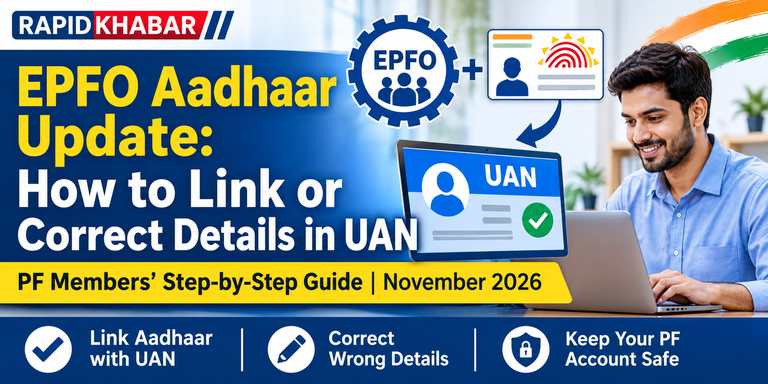

If your Aadhaar is not linked to your UAN, or your PF profile has a wrong name or date of birth, fix it before you apply for any claim. The EPFO Aadhaar Update 2026 makes this easier. You can now ask for Aadhaar seeding or correction online through the UAN Member Portal. If your details match, your employer can approve the request. If they do not match, the request goes to the EPFO office.
This guide explains the process in plain words. You will learn the steps, the common errors, how long it takes and what to do when the request gets stuck. Rules and screens can change, so always match what you read here with the official EPFO website.
EPFO Aadhaar Update 2026 in Short
Here is the quick version:
| Your situation | What happens |
|---|---|
| Name, gender and date of birth in UAN match Aadhaar exactly | Your employer can seed Aadhaar directly. No separate EPFO approval is needed. |
| Details do not match | You first correct the profile through a Joint Declaration. Then the request moves ahead for approval. |
| A wrong Aadhaar was linked by mistake | The correct Aadhaar is entered through the Joint Declaration. A senior EPFO officer approves it after checking. |
| Your employer is closed or not responding | You can ask the Public Relations Officer (PRO) at your EPFO office for help. |
The Ministry of Labour and Employment has described this setup as part of EPFO’s move to digital services. The process started in August 2025 and is still the route members use today.
Why the EPFO Aadhaar Update 2026 Matters for Your PF
Your UAN is one permanent number for all your PF accounts, even if you change jobs. Aadhaar helps EPFO confirm that the account belongs to you. Without a verified Aadhaar, many online services will not work.
For example, you may see this message when you log in: “Aadhaar is not available against UAN. Kindly seed Aadhaar through employer.” It means EPFO has no verified Aadhaar in your record. As a result, the portal may block claims, transfers or other services.
So, a small fix now can save you weeks later. Check your records well before you need the money.
How to Link Aadhaar With UAN Online
The EPFO Aadhaar Update 2026 keeps the steps simple. Follow them in order. The exact menu names may change after a portal update, so read each screen carefully.
- First, open the official UAN Member Portal.
- Log in with your UAN, password and the captcha.
- Next, go to the KYC section or the Aadhaar and profile option in your account. It is usually under the Manage menu.
- Enter your Aadhaar details exactly as the portal asks.
- Check every digit and every letter before you submit.
- Submit the request. Note the request number or the status message.
- Track the status regularly. Your employer may need to approve it.
If your details match, the EPFO Aadhaar Update 2026 process is usually smooth. If they do not, the request may be rejected or sent to the EPFO office.
Never share your Aadhaar number, OTP or UAN password with anyone who offers to do this for a fee. Use only official channels.
What to Check Before You Submit
Most requests under the EPFO Aadhaar Update 2026 fail because of small mistakes. Compare these details with your Aadhaar card first:
| Detail | What to check |
|---|---|
| Name | Spelling, spacing and order of your name |
| Date of birth | Day, month and year |
| Gender | The same entry as on Aadhaar |
| Mobile number | Active and linked with Aadhaar, so you can get the OTP |
Name, gender and date of birth are the three key fields. EPFO’s circular says the employer can seed Aadhaar directly only when these three match exactly. Even a short form of your name, such as “Rajesh K.” instead of “Rajesh Kumar”, can cause trouble.
What If Your Name or Date of Birth Does Not Match?
First, find out which record is wrong. Is it your Aadhaar or your PF profile? If the Aadhaar is right, fix the PF profile.
EPFO provides a Joint Declaration (JD) option for this. You raise the request online and enter the correct value. Your employer checks it, and then EPFO approves it. Corrections to name, date of birth and gender usually need the employer’s attestation, so keep your HR team in the loop.
In January 2025, EPFO also made profile changes easier. Members whose Aadhaar was already verified could update several fields on their own in eligible cases, such as name, date of birth and gender. However, older UAN cases may still need the employer’s approval. The portal will tell you what it needs for your case. If it asks for a document, upload the one it names.
What If the Wrong Aadhaar Is Linked?
The EPFO Aadhaar Update 2026 also covers this case. Sometimes a wrong Aadhaar number gets attached to a UAN by mistake. In that case, the employer can enter the correct number through the online Joint Declaration. The request then goes to the regional EPFO office. A senior officer, at the Assistant PF Commissioner level, checks it before approval.
Please note that EPFO has said requests to change an Aadhaar that is already verified should not be allowed. So, this route is for genuine errors, not for swapping one verified Aadhaar for another.
How to Fix “Aadhaar Is Not Available Against UAN”
This is one of the most common errors, and the EPFO Aadhaar Update 2026 route is the fix. Try this order:
- Check if your Aadhaar is seeded at all. Look in the KYC section of your account.
- Compare your details. Name, gender and date of birth must match Aadhaar.
- Ask your employer’s HR or payroll team. They can seed your Aadhaar through the KYC option in the employer portal.
- Raise a Joint Declaration if something does not match.
- Complain on the EPFO grievance portal (EPFiGMS) if nothing moves. The complaint is free.
Keep a screenshot of every status message. It helps if you must follow up later.
How Long Does the Approval Take?
The EPFO Aadhaar Update 2026 has no fixed date for approval. It depends on how fast your employer and the regional office act. Some guides say employer approval takes three to fifteen working days. A correction request can take longer, sometimes a couple of weeks. Treat these as rough numbers, not promises.
Meanwhile, do not submit the same request again and again. Check the first request’s status first. A duplicate can confuse the system and slow things down.
UAN Activation Through Face Authentication on UMANG
Activating a UAN is a separate task from correcting Aadhaar. EPFO offers UAN allotment and activation through Aadhaar-based face authentication on the UMANG app. The government pushed this option in 2024 to make activation faster and simpler.
Here is how it works in simple terms:
- Open the UMANG app and find the EPFO services.
- Choose the UAN allotment or activation option.
- Enter your Aadhaar number and the mobile number linked to it.
- Give consent and enter the OTP.
- Install the Aadhaar Face RD app if the process asks for it.
- Complete the face scan in good light.
If the scan fails, check your internet, your camera and your Aadhaar-linked mobile number. Then try again. Download apps only from official stores and never from a link sent by a stranger.
When Your Employer Is Not Available
Employers close, change staff or simply do not reply. The EPFO Aadhaar Update 2026 plans for this. If your employer is unavailable, you can ask the PRO at your EPFO office for help.
You can also get help in person. Some members prefer to visit a service centre for biometric steps or document help. If a local Common Service Centre or an Atal E Sewa Kendra is near you, ask them about Aadhaar-related services and carry your original documents. Keep in mind that your employer’s digital approval may still be needed at the end.
Do This Before You Withdraw or Transfer PF
The EPFO Aadhaar Update 2026 supports your claim, but Aadhaar linking does not approve the claim by itself. EPFO still checks the other details, such as your bank account and the claim conditions.
So, before you apply, run this short checklist:
- Your Aadhaar is seeded and verified.
- Your bank account is added and your KYC is complete.
- Your PAN details are right. If your name is wrong on PAN, start with our guide on PAN Card correction.
- Your mobile number works.
Also, read our latest EPFO New Update post to see what else has changed. If you plan to take money out, our explainer on EPFO ATM Card withdrawal shows how withdrawals are moving online.
Mistakes to Avoid in the EPFO Aadhaar Update 2026
- Typing a name that is different from your Aadhaar.
- Using an old mobile number that you cannot reach.
- Sending a second request before the first one is closed.
- Sharing OTPs, passwords or Aadhaar copies with agents or callers.
- Mixing up UAN activation on UMANG with Aadhaar correction on the member portal.
- Assuming that Aadhaar linking means every claim will pass.
EPFO Aadhaar Update 2026: FAQs
1. Can I link or correct Aadhaar online under the EPFO Aadhaar Update 2026? Yes. You can raise an Aadhaar seeding or correction request through the UAN Member Portal. If your details match, your employer can approve it. If they do not match, it moves to the EPFO office.
2. Is employer approval always needed? In most cases, yes. For Aadhaar seeding, the employer can act directly when your name, gender and date of birth match exactly. Some profile changes for already verified members can be done without a document, but older cases may still need the employer.
3. What should I do if my employer is not responding? Contact the Public Relations Officer at your EPFO office. You can also file a complaint on the EPFO grievance portal.
4. Can I activate my UAN with face authentication? Yes. UAN allotment and activation through Aadhaar face authentication is available on the UMANG app. Follow the consent, OTP and face scan steps.
5. Does the EPFO Aadhaar Update 2026 guarantee my PF withdrawal? No. It helps verify your identity, but your claim must still meet EPFO rules and checks.
Official Links
- EPFO official website: epfindia.gov.in
- UAN Member Portal: unifiedportal-mem.epfindia.gov.in
- UMANG: web.umang.gov.in
- UIDAI: uidai.gov.in
- EPFO grievance portal: epfigms.gov.in
Conclusion
The EPFO Aadhaar Update 2026 gives you an easier, online way to link or fix Aadhaar in your UAN. The key is simple. Make sure your name, gender and date of birth match your Aadhaar. Then raise the request, keep your proof and follow up with your employer.
Do not wait until the day you need money. Check your Aadhaar status this week and use the EPFO Aadhaar Update 2026 steps. If something is wrong, start the correction now and ask for help at the EPFO office if you get stuck.